Broadcast suite for Counter-Strike 2
Pick the match. You're on air.
Import your whole league match in one click. Rosters, photos, flags, veto. Describe the HUD you want and Studio builds it, live. Drop one browser source into OBS and Jeff, your AI observer, runs the camera.
7-day free trial · cancel anytime · Windows · works with OBS
A real broadcast, start to finish. See every feature on video.
1
click to import a match
veto, rosters, photos, flags
1
browser source in OBS
the whole HUD, in sync
5 min
from install to on air
no cfg files, no launch options
0
dead air on stream
screens & cinematics fill every break
Community
Join the LibertyHUD Discord.
The fastest place to get support, meet other casters, and shape what we build next. Report a bug or suggest a feature that ships and earn free Pro months.
Match import
Their setup guide has five steps. Ours has one.
Pick your league match from the list inside LibertyHUD and everything arrives at once: both rosters with player photos and country flags, the map veto, the series score. No spreadsheets, no SteamID hunting, no typing team names at 18:55.
Custom game instead? Two team names and you're rolling. And the CS2 launch button starts the game with the observer setup already configured. No cfg files, no launch options.
- NORDVINDvsBASALT19:00
- GRANITvsKØBENHAVN KLIVEUse this match
- VESTKYSTvsMIDTJYDSK E21:00
Imported with that one click
Match HUD
A broadcast-grade HUD in one browser source.
Scorebug, player cards, radar, bomb timer, killfeed. A full 1920×1080 overlay that reads clean at every resolution. Add one browser source in OBS and it stays in sync with the game on its own.
Team logos, names and series score
Player cards with HP, armor, utility and money
Radar with live player positions
Bomb and defuse timers with kit detection
Killfeed styled to match the overlay
Sponsor and league branding slots
Studio · AI customization
Not our look? Describe it: Studio builds it.
Studio is the AI that rebuilds your HUD and stream screens from a sentence. Tell the agent your colors, bigger player photos, a sponsor slot, a different scorebug. It writes real broadcast graphics, shows you the exact 1080p frame, and publishes it into your stream. No CSS, no designer, no week of back-and-forth.
Ask in plain words. The agent builds it, you never touch code
Live 1080p preview before anything goes on air
Publish once: it syncs to the app as your own pack
Start from our packs or a blank canvas
Live preview · 1920×1080
NORDVIND
7
12:04
BASALT
5
k0nfig
device
stavn
blameF
jabbi
The AI observer
JEFF V2.0 · R2 2.72MMy nem Jeff.
Your AI observer.
I'm the observer inside LibertyHUD. A 2.72-million-parameter neural network trained on 209 million frames of league Counter-Strike. I watch all ten players, eight times a second, and I cut to the fight before it breaks out. I still don't need coffee.
I lock clutches. I follow ace runs. When the defuse matters more than the kill, I show the retake. Between rounds I fly the cinematic camera so your stream never stares at a wall.
And I run on your CPU, on your PC. No cloud, no lag, and nobody counting my hours. You can grab the wheel whenever you like; everything I do goes in my shift log.Jeff
- 13:04:11CUT→ weissdefuse spotlight
- 12:52:19LOCKkaisenclutch 1v2
- 12:46:13HOLDmavidwell floor 2.5 s
- 12:44:02CUT→ mavientry duel, A main
- 12:41:07CUT→ b0RUPAWP peek forming, mid
Versus the meter
The only other AI observer you can rent bills by the hour. Its entry plan includes two hours a month. That's one map. Jeff is unlimited on every plan.
$34/ mo
saved at 20 games / mo
$72/ mo
saved at 100 games / mo
vs. the cheapest hourly-metered alternative, ~1h per game, July 2026 list prices.
Partner
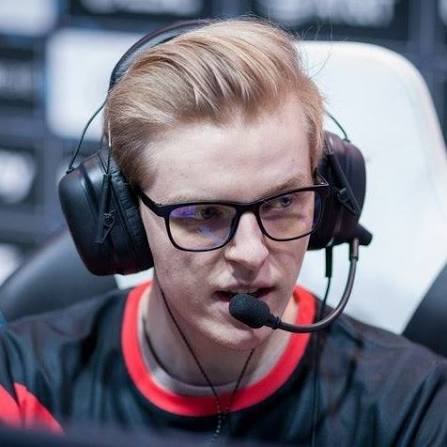
NaToSaphiX
Niels-Christian Sillassen · CS2 coach & streamer
In LibertyHUD's corner, bringing pro broadcasts to the Danish scene.
Stream screens
No dead air, ever.
Animated pre-match, players and post-match screens fill everything around the game. Lineups with photos and flags before the match, full scoreboards and map stats after. Add them as OBS scenes; they update themselves from the imported match.
Freezetime cinematics
Between rounds, the camera flies.
Smooth, authored camera paths sweep the map during freezetime. Engine-rendered, broadcast-smooth, a different shot every round. Your stream looks directed even when nothing is happening.
Tutorials
A video for every feature.
Short walkthroughs for setup, match import, OBS and Jeff. So your first broadcast night has zero guesswork.
Pricing
One plan. The whole control room.
Every feature and every update, for as long as you’re subscribed. Try the whole thing free for 7 days. Cancel anytime.
- Studio: build your own HUD & screens with AI
- Jeff v2.0: neural auto-observer, unlimited hours
- Unlimited observing: nothing metered, no hour packs
- Match HUD as one OBS browser source
- Animated pre-match, players & post-match screens
- League match & roster sync
- Freezetime cinematics
- All updates while subscribed
One exception
Studio runs on prepaid credit.
Your subscription covers the app, the match HUD, the screens, the cinematics, league sync and unlimited observing with Jeff, and none of that is metered. Studio is different: it calls AI models and runs a cloud sandbox on our account, and both cost real money every time you run a job. So Studio spends from a prepaid balance you top up in $10, $25 or $50 packs, credited one for one.
Every model call and every second of sandbox time lands in a ledger you can read in your account, so nothing is spent out of sight. A subscription and a positive balance are both needed to open Studio, and neither replaces the other. Credit does not expire while your account exists, and unspent credit is refundable for 14 days after the top-up that bought it.
The full rules are in terms section 08 and the refund policy. Shorter version in the FAQ.
Launch pricing, in USD. Tax is added at checkout where it applies.
FAQ
Fast answers.
What is LibertyHUD?+
One Windows app for the whole broadcast: one-click league match import, a broadcast-grade HUD, animated pre/post-match screens, freezetime cinematics. And Jeff, the AI observer, running the camera. It all reaches OBS as a single browser source.
Does the AI observer really run on my PC?+
Yes. Jeff v2.0 is a 2.72-million-parameter neural network that runs locally on your CPU, next to the game. Your camera never waits on someone else's cloud. And we never meter it.
Is there an hour limit on auto-observing?+
No. Because Jeff runs on your hardware, we don't sell observer hours. Stream one game a month or a hundred, same flat subscription. Metered hour packs are the other guys' business model.
What do I need to run it?+
64-bit Windows 10 or 11, on the same PC that runs CS2. OBS, or anything else that takes a browser source. And an internet connection: your packs and broadcast assets are downloaded from your account rather than shipped inside the installer, so the app needs to reach libertyhud.com to have anything to serve to OBS. LibertyHUD configures the observer setup itself, so there are no cfg files and no launch options. It installs to your user folder, with no administrator prompt, and it installs one other thing: HLAE, which is the next answer.
Can I take over from Jeff mid-match?+
Anytime. Grab the wheel and he keeps working under you; hand it back whenever. Every decision he makes lands in his shift log, so you always know why the camera moved.
Can it look like my league?+
Yes. Team logos, sponsor and league branding slots are built in. And Studio, the AI customizer, rebuilds the HUD and screens from a plain-language description into your own pack.
How does the free trial work, and do I need a card?+
7 days, the full product, and yes: checkout asks for a card up front so the subscription can convert without you having to do anything. Nothing is charged during the trial. Cancel before day 7 from Account, then Manage billing, and you pay nothing at all. One trial per account, and your trial end date sits on your account page so the first charge is never a surprise.
Which games are supported?+
Counter-Strike 2. That focus is why the observer, HUD and screens go deeper than general-purpose tools.
More questions: the full FAQ covers HLAE, the Windows publisher warning, Studio credit, how many machines, and refunds.